
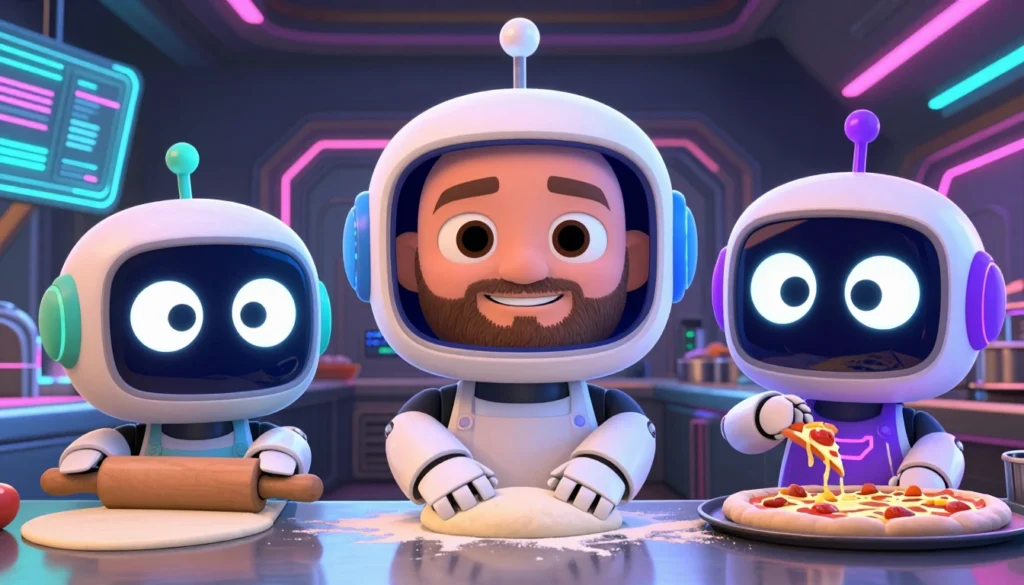
At night, when my agents are off duty, I sometimes train a LoRA. Sounds like tech jargon, but it’s actually pretty simple at its core: I’m teaching an AI image model something it couldn’t do before. In this article I explain exactly how that works for me – with real numbers from real training nights, not just theory.
What this is about:
- What a LoRA is, and why I don’t have to retrain the whole AI model for it
- How my keto-pizza image problem started – and how I fixed it
- Why the training runs at night, and how I share my graphics card with my AI assistant
- My second LoRA project: a LoRA of my own face – and what I learned about licensing along the way
The problem: my keto pizza looked like it came from an Italian restaurant
Since I set up my company so that AI agents handle most of the work (more on that in My Trip to the Bureaucracy Office), they also generate the images for my keto cookbook – and that’s exactly where I noticed something annoying. Looking through the recipe images, I noticed: eleven bread and pizza images in the book (and twelve on the matching recipe website ketovavaria.de) looked like regular wheat baked goods – airy crumb, thick risen rim, smooth golden-brown crust. The exact opposite of keto. Real keto pizza has a thin, grainy crust made from almond, coconut, or cauliflower flour, and the crumb is dense and a bit moist. The AI model simply didn’t know that difference – it had seen far more “regular” pizza during training than keto pizza.
The fix isn’t “train a new model” (that would take weeks and would be unaffordable for me) – it’s a LoRA.
What actually is a LoRA?
A LoRA (Low-Rank Adaptation) is a small add-on module you attach to an existing AI model. Instead of retraining the entire, huge base model, you only train this small module – it learns the specifics of a particular subject or style. The end result is a file that’s tiny compared to the base model: in my case, around 85 to 170 megabytes instead of several gigabytes. Think of it like putting glasses on the model: the model itself stays unchanged, but it sees the world differently through the glasses.
The dataset: collecting and cropping images
For the keto bread/pizza LoRA, the plan was to collect 32 images – 12 for pizza, 20 for bread – as crops from 15 original photos from Wikimedia Commons, all under free licenses (CC0, CC BY, CC BY-SA). So far only the pizza part has actually run, “keto_pizza_v1”, with 12 images that effectively act like 24 thanks to mirroring. The bread part is still waiting on my own photos – which I haven’t taken yet.
Every image gets a short text description used during training, for example “ketopizza, cauliflower crust pizza with mushrooms and melted cheese on a wooden board”. That word “ketopizza” at the start is the trigger word: the learned LoRA knowledge only activates when it’s in the prompt.
The actual training night
I trained on top of Z-Image-Turbo (a freely available image model), with rank 32 and a learning rate of 1e-4 (0.0001 – this sets how big a learning step the model takes per pass), over 1200 steps, with a checkpoint saved every 200 steps, at resolutions of 512 and 768 pixels. Originally 2000 steps were planned, but I stopped after 1200 – I’ll explain why further down. That was on the night of November 1st, from 2:47 to 4:24 am (pure training time was about an hour and a half). How demanding a full training night can be for the hardware is shown by the following measurements from a different, longer night in early November, where I ran several jobs back to back:
How the training works technically
For the actual training I use a tool called ai-toolkit. It takes a config file that holds everything important: which base model I’m extending (Z-Image-Turbo, in my case), how many steps to train, how big the LoRA should be (the “rank” – the bigger it is, the more it can memorize, but the bigger the file gets too), and where the training images live. The same short image descriptions from above get reused here. The tool shows a sample image every few hundred steps during training, so I can see whether it’s heading in the right direction without having to wait until the end.
Training is done once the target step count is reached, or whenever I manually stop it – for the pizza LoRA, for example, after 1200 instead of the originally planned 2000 steps, because the result already looked usable at that point and I wanted to save compute time.
Bringing it into ComfyUI
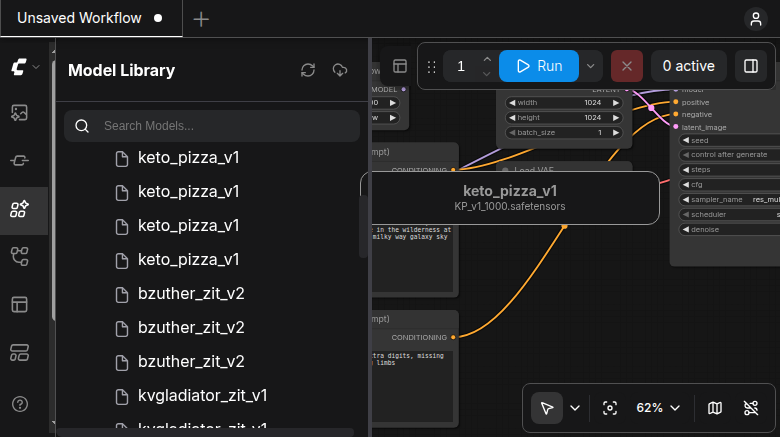
The finished LoRA then simply sits as a file in a folder that my image-generation program ComfyUI scans automatically. It then shows up in the model library, alongside every other LoRA I’ve trained so far:
To actually use a LoRA, I add a small block called “Load LoRA” into my image-generation workflow in ComfyUI. It sits between the base model and the actual image generator: the base model first passes through this block, which applies the learned adjustments before continuing. I set two numbers here – how strong the influence should be on the image model, and how strong on the text understanding. A value between 0.7 and 1.0 is usually enough.
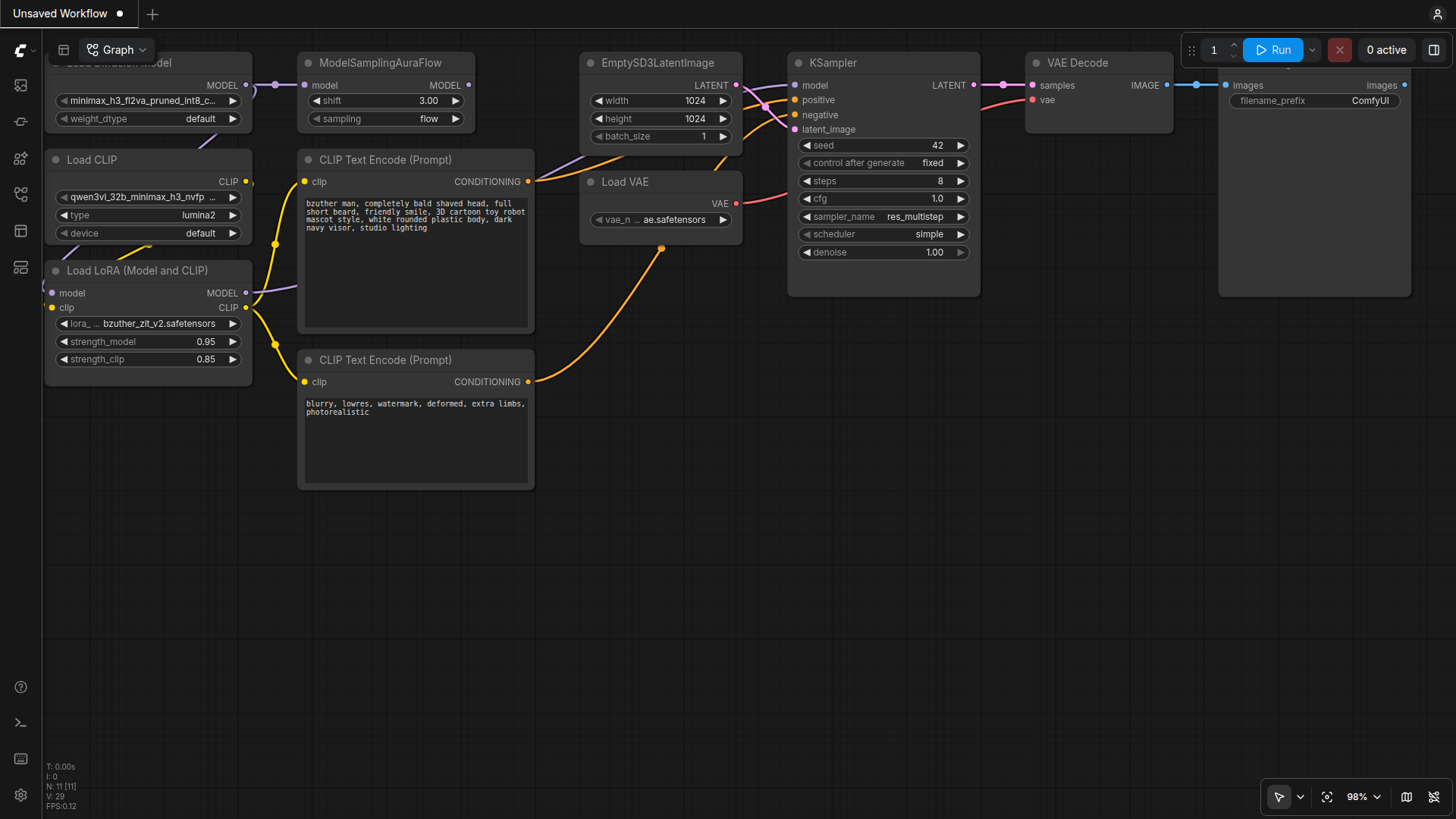
Also important: the trigger word in the text prompt – without the word “bzuther man” or “ketopizza”, the LoRA is essentially inactive even if it’s wired in. The model needs that word to “know” it should apply its extra knowledge now.
What went wrong first: memory ran short
I only have one graphics card, which my local AI assistant and the LoRA training both have to share. On the very first attempt – still without a fixed time window – I ran both at once, and that went badly: the training run took graphics memory (VRAM) and system RAM away from my assistant, until the operating system simply killed it due to lack of memory (out-of-memory). Both processes share the same machine, and if I don’t coordinate that in advance, one of the two goes down.
Why at night? One GPU for two
That’s exactly why I introduced a fixed night window afterward, from 11 pm to 5:45 am, during which the assistant pauses and the card is free for training runs. To make that reliable, and so I don’t forget to start the assistant back up, it runs automatically via scheduled system services (systemd timers with a watchdog that restarts the assistant if needed).
Before and after
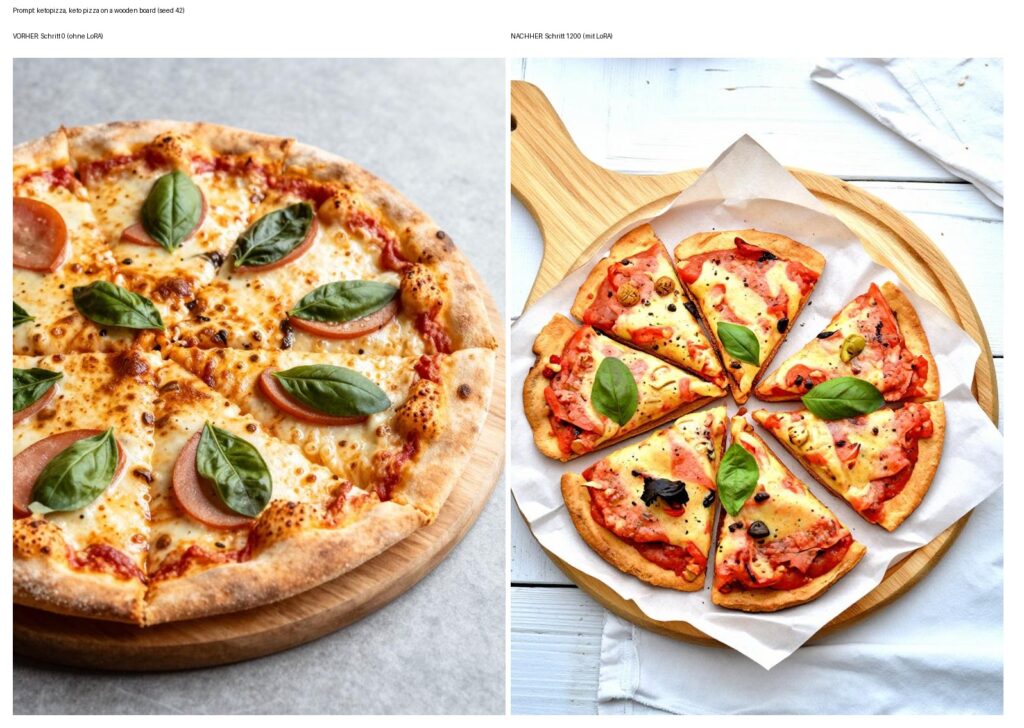
The difference is visible at a glance, even for non-experts. On the left, the image with no LoRA at all: a thick, risen rim with the typical browning blisters – classic pizzeria look. On the right, with the finished LoRA after 1200 steps: a thinner, grainier crust, more realistic for a low-carb pizza. It’s not a perfect result yet, but the difference shows that the principle works.
The second example: a LoRA of myself
Besides the pizza LoRA, there’s a second, very different example: a LoRA that learned my own face. The purpose is simple – I want readers to recognize me in header images, and I want my avatar in illustrations to actually look like me, instead of every image showing a different, random face.
For that I used 20 crops from photos of myself, each one checked by hand – any crops that accidentally showed someone else’s face got discarded. Every image description follows the same pattern: “photo of bzuther man” plus a short note on clothing or location. I trained the first usable version (v2) on October 25th, again on top of Z-Image-Turbo, again with ai-toolkit, rank 16, learning rate 1e-4, 1500 steps at 512 and 768 pixels, 2 hours 15 minutes total, at around 36 gigabytes of GPU memory. The finished LoRA file is just 85 megabytes.
What I learned from this
Two things surprised me. First: if I don’t explicitly write “completely bald shaved head” into the prompt, the model happily invents hair for me – apparently plain image similarity isn’t enough, certain features have to be spelled out explicitly in words as well. Second, and I found this more interesting: the more I cutify the image (for example into a cute “chibi” style), the more the likeness to me gets lost. In a more realistic portrait or claymation style, on the other hand, it holds up well.
For this article’s header image, I tested several variants with different stylization until I found one that actually looks like me while still matching the robot-mascot design I otherwise use on the site – in the header I’m baking pizza together with two other robot mascots representing my two AI assistants, Hermes and OpenClaw. More on the two of them and how they differ day to day in my comparison of the two assistants.
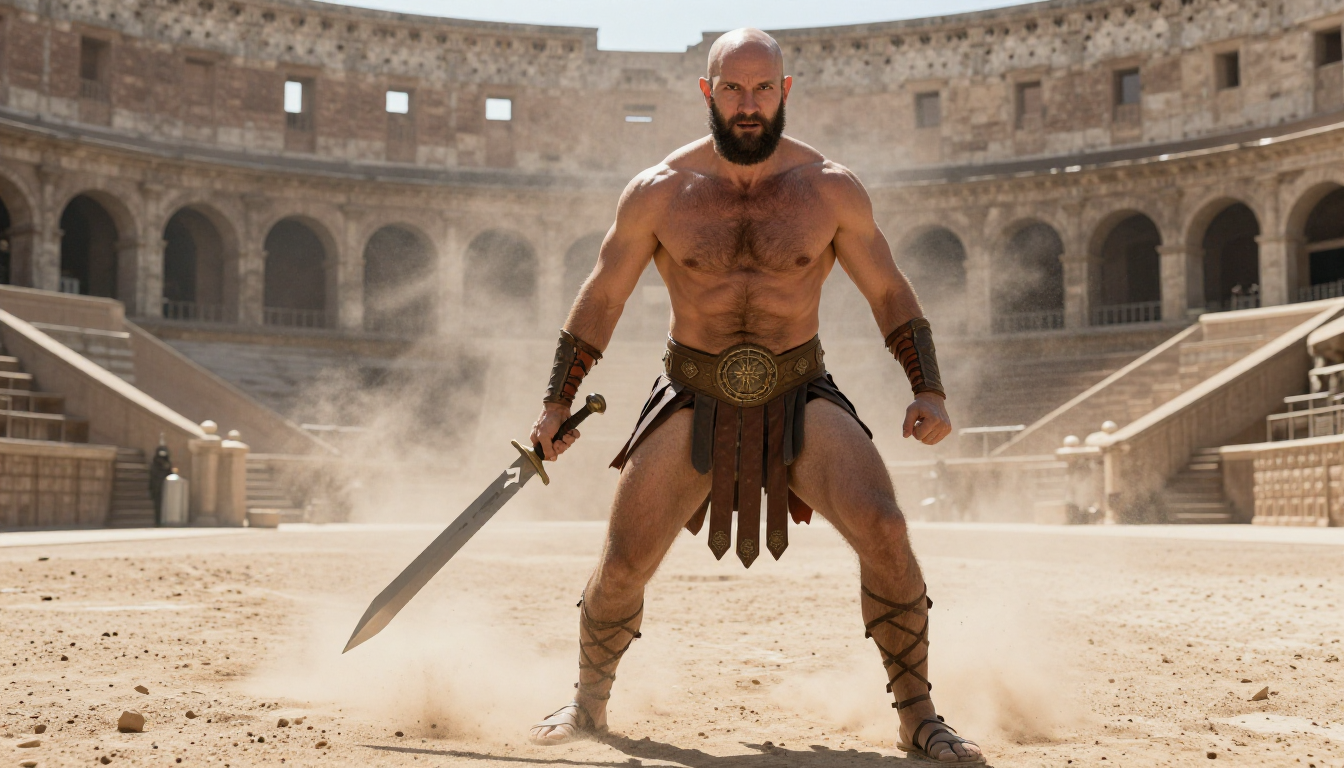
One point where I’ve since made progress: for the first training photos, I had used a face-detection tool (InsightFace) for automatic cropping, whose pretrained models are only released for non-commercial use. I now use MediaPipe (Apache-2.0 license) instead, a tool without that restriction – the images in this article (header and gladiator scene) already come from the LoRA retrained with it, “bzuther_zit_v3”. Honestly: in my similarity measurement, the new version doesn’t currently score better than the old one – if anything, the opposite – I’m in the process of switching the measurement over to the new method, solid numbers will follow in a follow-up.
Conclusion and outlook
Training a LoRA has become routine for me by now – at night, while my assistant is paused, with clear rules for memory and time windows. The results aren’t perfect yet: the pizza checkpoint hasn’t been finalized, the bread LoRA is still completely missing, and for the new cropping method I’m still waiting on a solid similarity measurement. But the principle – a small, targeted add-on module instead of an entirely new model – has proven to be the most practical way for me to teach my AI images what I actually want to see.
- My own training logs (pizza LoRA Nov 1, 2026, person LoRA Oct 25, 2026) and GPU measurements (internal Prometheus monitoring, night of Nov 5/6, 2026)
- Keto-pizza LoRA training images: Wikimedia Commons, licenses CC0 / CC BY / CC BY-SA (individual attributions with author and source link documented internally, no branded products, no recognizable people)
- Base model: Z-Image-Turbo (Apache-2.0)
- Training tool: ai-toolkit (ostris, MIT license)
- Face cropping (from LoRA version v3 onward): MediaPipe (Google, Apache-2.0)